Pixel-Art Cat on a Snowy Night
GIF
Stills, motion & vectors · Flare / Sunburst
Write a prompt. Set the details. Make it yours.
Sign in for 2 free generations. 20 credits per run.
Choose an example or write your own prompt.

The prompt library
Buy once, or subscribe monthly. 20 credits per generation. Two free runs when you sign up.
Pay once. No automatic renewals. Unused credits stay in your account.
Basic
10 generations, whenever you need them
Pro
25 generations, whenever you need them
Max
75 generations, whenever you need them
Packs never expire. Subscriptions renew monthly; monthly credits expire at the end of each billing period. Cancel future renewals anytime. Failed generations restore their credits.
Two models, one workflow
Both models are in the form. Flare is for trying layouts. OpenAI says a low-quality Flare draft can come back in about six seconds, and that this release is about 50% faster than the previous one.
Compare the modelsReleased November 4, 2026
Generate short GIF loops, export SVG vectors, and choose how much planning goes into a scene with the complexity control. Reference images keep edits grounded in your original.
Read the release notesThe practical split is the new output types and the complexity control. Token price for image output is $30 per million on this release and on 2.5. Version 2 uses that same per-token output price. A picture can still cost more when it spends more tokens.
| 2.6 | 2.5 | 2 | |
|---|---|---|---|
| Public date | November 4, 2026 | Earlier in 2026 | Earlier in 2026 |
| GIF output | Yes | No | No |
| SVG output | Yes | No | No |
| Complexity control | Yes | No | No |
| Markup edits | Yes | Yes | Not documented here |
| Quality steps | low to max | low to max | low, medium, high |
| Image output price | $30 / M tokens | Same rate | Same rate |
MAI-Image-2.6 is a Microsoft AI model. The shared “2.6” is why the searches collide. People looking for the leaderboard name often land on an OpenAI page, and the other way around.
Leaderboards compare specific tasks, model versions, and dates. A high score for Microsoft’s model is not a score for OpenAI’s model. Check the provider and whether the board measures generation or editing; there is no single rank that describes every workflow.
Microsoft’s model does not use Flare or Sunburst, and it is not the November 4 release that added GIF files, SVG files, and complexity control. If a leaderboard row is what you wanted, read the lab name before you spend a credit here.
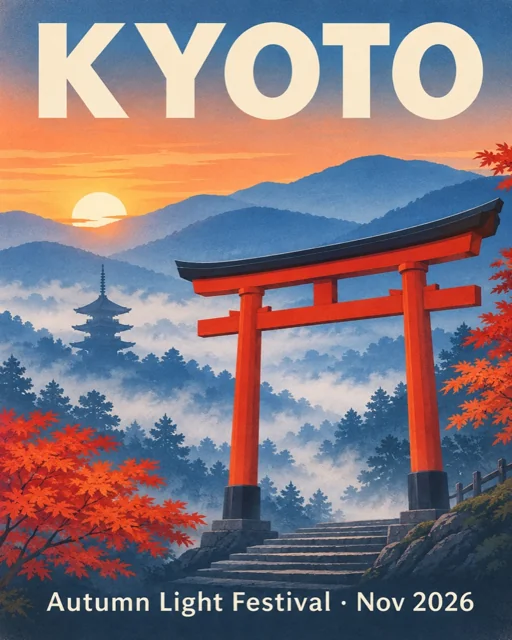
Start with one concrete deliverable: a product photograph, a travel poster, a small mascot loop or an editable logo. Describe the subject, its placement, the background and the final use before adding stylistic adjectives. A clear brief gives you something specific to assess when the first file arrives. For a product shot, check the handle, rim and shadow; for a poster, check the headline, margins and reading order.
Image format produces a PNG. Use it for still illustrations, product concepts and composition studies. This form offers 1K and 2K settings with explicit landscape, portrait and square dimensions. The size shown beside the controls is the requested canvas; automatic size is decided by the model, and the actual dimensions appear with the result. A description such as “vector style” changes the look of a PNG, but does not make it an editable vector file.
Choose SVG when you want a real vector download. Simple logos, landscape shapes and line-icon sets are useful starting points because their silhouettes and paths are easy to inspect. The file can be opened in a vector editor for color changes, spacing adjustments and path cleanup. Examine it at the size where it will be used rather than assuming that scalable output automatically makes a good small icon.
GIF format requests a short eight-frame animation with 200 milliseconds per frame. Keep the camera fixed, describe one movement and return the subject to its starting pose. The frames share a pixel budget, so the displayed canvas is adjusted while preserving the chosen aspect ratio. A quiet blink or small wave is a more manageable starting point than a scene with a moving camera, several characters and a full transformation.
The current resolution picker stops at 2K for stills and SVGs, while GIF uses the constrained 1K setting. That is a limit of this website’s present controls, not a claim that the underlying model cannot produce larger images. There is no 4K option or separate upscaling workflow here today. If your layout needs a particular crop, compare the displayed width and height with the target placement before spending a run.
Reference images are available on still-image requests, with up to four inputs. Use them to identify an existing object, show a desired material or point to a marked region. Describe both the requested change and what must stay in place. This form takes GIF and SVG requests from text alone. It does not turn an uploaded photograph into an animation or guarantee that every untouched pixel in an edit will remain identical.
Text, geometry and motion still need review. A model can misspell a subtitle, soften a product edge, change a mascot’s features or leave a visible jump at the loop boundary. Keep exact wording short, simplify competing details and change one instruction at a time. For final typography, it can be more efficient to generate the illustration without lettering and finish the words in a layout tool. For animation, compare the first and last frames as well as watching normal playback.
Quality controls rendering detail; complexity controls planning effort. Raising both does not resolve an unclear brief or guarantee an exact result. Start with the smallest useful test and use the prompt library’s variations to isolate changes. Each run reserves 20 credits, failures restore that charge, and successful files are saved to your recent generations. Download and inspect the actual file before deciding whether another run is necessary.
Yes. Each signed-in account gets 40 credits. Each successful generation costs 20 credits, which is 2 free generations. The cost is written beside the button.
No. The server holds the key. You write a prompt and download the file. Sign in to generate and keep your downloads in your account.
Aspect ratio sets the frame, from square to story or landscape. Resolution picks a 1K or 2K size inside that frame for stills and SVGs. GIFs use eight frames and a 1K canvas adjusted to the animation pixel budget. Quality is rendering detail: low, medium, or high on this form. The API also offers xhigh and max. Complexity is a separate planning dial, low through high, and it does not add a fee.
Yes, up to four, on still-image runs. They go to the edit endpoint as references. GIF and SVG output stay prompt-only.
That name belongs to Microsoft. This studio calls OpenAI’s Flare and Sunburst models from the November 4 release. Same digits, different lab; check the provider before comparing results.
OpenAI’s terms give you ownership of the images you create, including commercial use. You still have to make sure the prompt and the result do not copy someone else’s rights.
We reserve 20 credits when a run starts. Failed runs restore that charge. If a run is interrupted, automatic reconciliation restores its credits after the task expires; completed files remain in your recent generations.
Scroll up, or jump back to the controls. Two generations are included. The button will not start a run without showing the 20-credit cost.
Back to the generator