
Alternative 1
Replace the espresso machine with a simple pour-over coffee workflow; label water, filter, ground coffee and cup.
Image prompt ·1024 × 1536
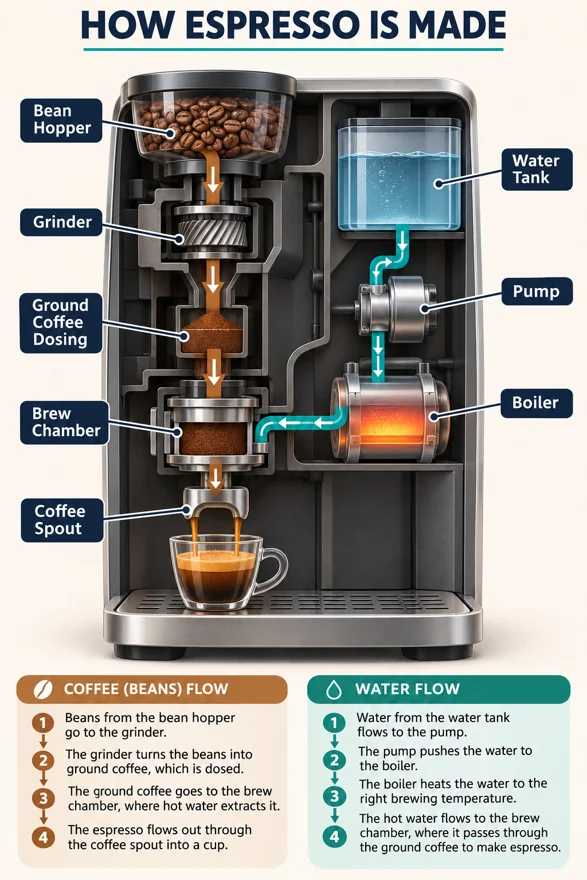
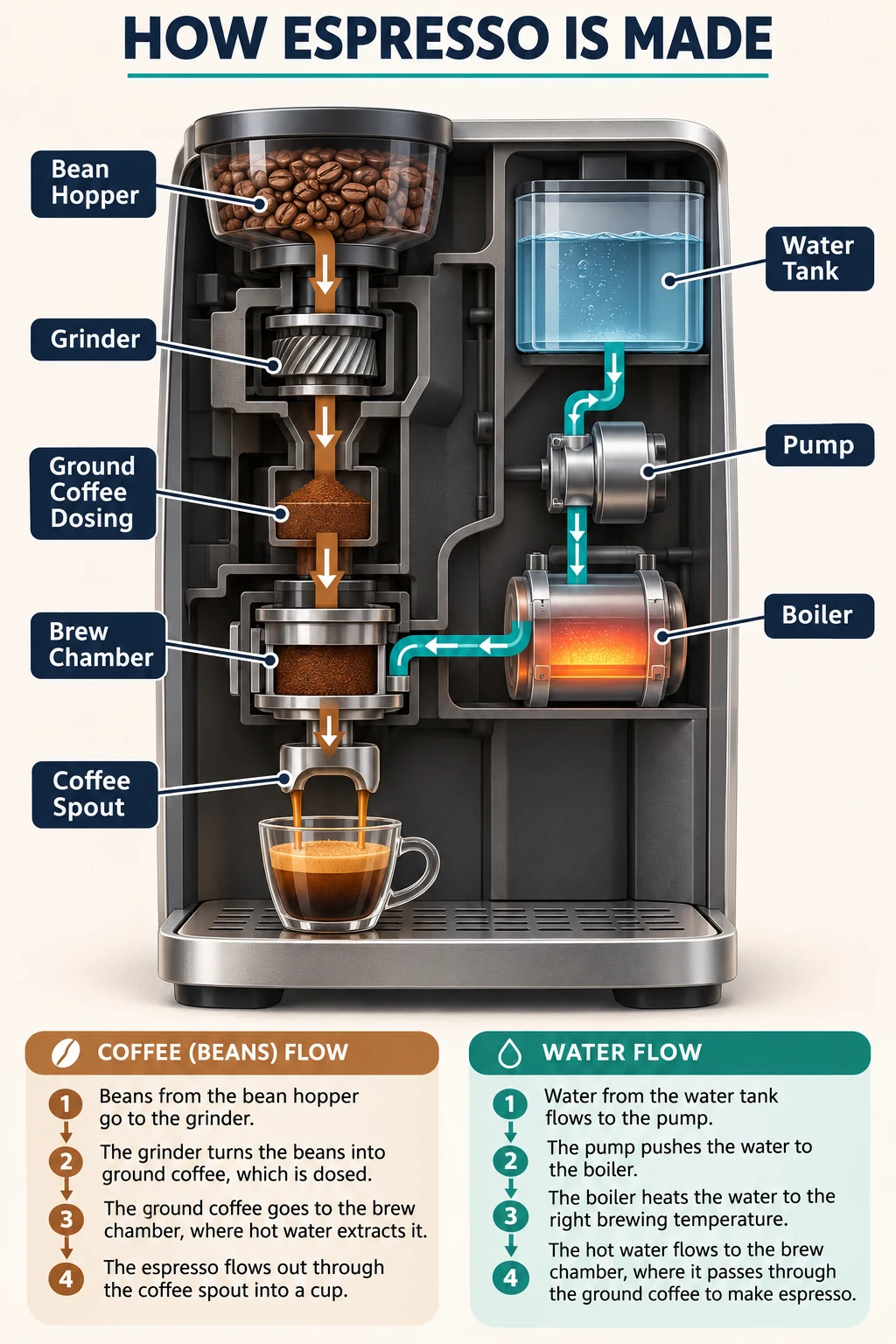
Explain an everyday process with two clearly separated flows. This conceptual espresso diagram is suitable for educational marketing, not maintenance or engineering instructions. Check every label and arrow before publication.
Create a polished educational infographic, portrait 2:3, explaining a generic automatic espresso machine. Off-white background, navy labels, teal water paths and warm brown coffee paths. A clean believable cutaway shows the bean hopper, grinder, ground coffee dosing, brew chamber, water tank, pump, boiler and coffee spout. Label only these eight components in clear English. Show two distinct flow paths with directional arrows: beans to grinder to brew chamber to coffee spout; water tank to pump to boiler to brew chamber. Include a little espresso cup below the spout. No brand names, fictional statistics or extra components. Title: HOW ESPRESSO IS MADE. Modern technical editorial illustration with roomy layout, precise legible typography. This is a conceptual explanation, not an engineering blueprint. One image.
Suggested settings.
Suggested variations, not original prompts.
Replace the espresso machine with a simple pour-over coffee workflow; label water, filter, ground coffee and cup.
Keep the espresso workflow but omit all explanatory paragraphs and retain only the eight component labels.
Start with Image, 2:3, 1K, high quality and medium complexity. No reference image is required for the initial prompt. Compare typography, edges and structure at full size. Change one instruction at a time and save the downloaded original and prompt.